Professional Resume Design: Clean CV Templates for Career Growth
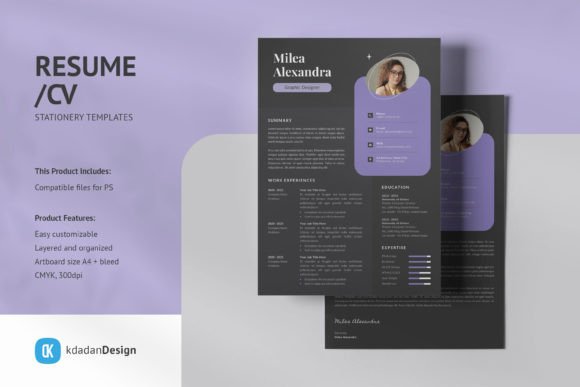
Building a strong resume shouldn't take days. You have experience, skills, and accomplishments worth showcasing, but wrestling with formatting in a word processor often leads to frustration. The Resume/CV PSD Design Templates Vol 166 offers a practical solution for professionals who want polished, modern documents without starting from scratch. This collection focuses on clean layouts that prioritize readability and visual appeal, helping your application materials make a strong first impression.
Understanding the Visual Style and Appeal
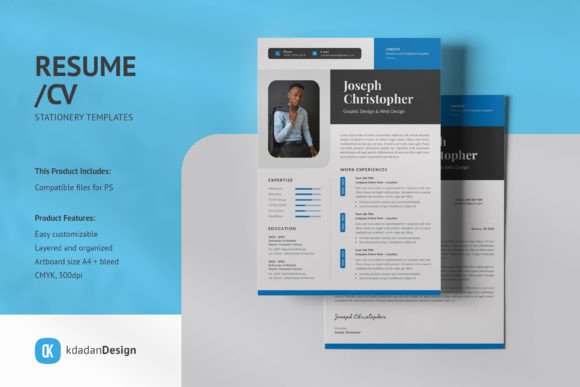
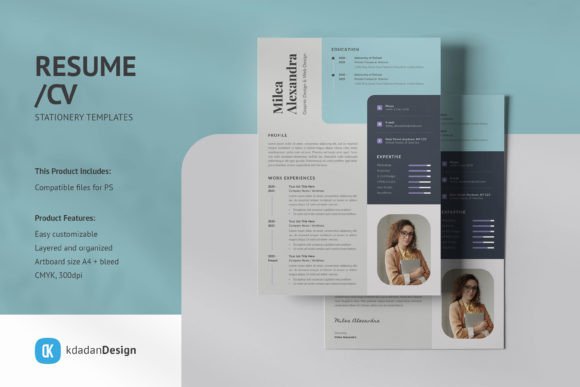
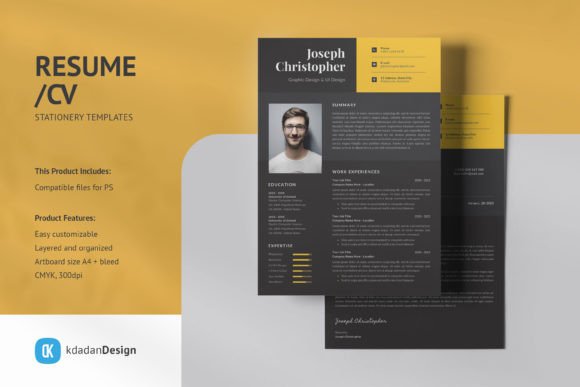
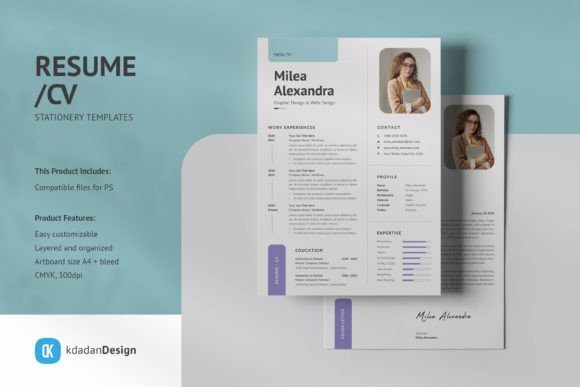
The templates in this collection embrace a contemporary aesthetic. You'll find balanced white space, thoughtful typography choices, and structured sections that guide the eye naturally. These aren't flashy or overly decorative designs. Instead, they communicate professionalism through restraint and clarity. The visual personality leans toward corporate-friendly but with enough warmth to feel approachable across industries.
What makes these templates stand out is their adaptability. Whether you're a graphic designer showcasing creative work, a marketing professional highlighting campaign results, or a small business owner presenting entrepreneurial experience, the layouts accommodate diverse career paths. The design language stays consistent while leaving room for personalization through color choices, imagery, and content organization.
Practical Features That Save Time
Every template in Resume/CV PSD Design Templates Vol 166 comes organized with separate layers for text, graphics, and images. This structure matters more than you might think. When you need to adjust a job title, swap out a color scheme, or replace a placeholder photo, you won't accidentally shift other elements or spend twenty minutes trying to select the right layer.
The Smart-Object image containers deserve particular attention. Double-click the layer, paste your headshot or portfolio sample, save, and the template automatically applies any perspective or masking effects. This feature alone eliminates common headaches for anyone who's struggled with precise image placement in design software.
Additional practical details include:
- CMYK color mode at 300dpi, making files print-ready from the moment you finish editing
- A4 dimensions with bleed areas included, so professional printers can process your files immediately
- Compatibility with Adobe Photoshop CS and CC versions
- Free font recommendations with download links provided in the help documentation
Where These Templates Work Best
Consider these templates across multiple scenarios beyond traditional job applications. Freelance designers can use them as portfolio presentation pages. Entrepreneurs might adapt the layouts for investor pitch documents or partnership proposals. Content creators and bloggers could repurpose the structured format for media kits that showcase audience demographics, collaboration history, and brand partnership opportunities.
The clean, modern typography choices support strong visual hierarchy. Section headers stand apart from body text without competing for attention. This careful balance influences how hiring managers and potential clients scan your information. Research consistently shows that well-organized documents receive longer review times, which gives your qualifications more opportunity to resonate.
For brand consistency, these templates help professionals maintain a cohesive visual identity across touchpoints. Your resume, cover letter, and portfolio materials can share the same design language, reinforcing recognition and demonstrating attention to detail. This kind of consistency signals professionalism before anyone reads a single word about your experience.
Customization Without Complexity
The fully editable PSD format means you control every visual element. Want to adjust the color palette to match your personal brand or a specific industry standard? Change the accent colors across all layers in minutes. Need to reorganize sections because your career path emphasizes skills over chronological work history? Move groups of layers without breaking the overall composition.
Working with these files requires basic Adobe Photoshop familiarity, but you don't need advanced design skills. The layer naming conventions follow logical patterns, and the help files walk you through common modifications. If you can navigate Photoshop's interface and understand layer basics, you can customize these templates confidently.
Choosing the Right Template for Your Goals
Start by considering your industry and audience. Creative fields often appreciate slightly more personality in design choices, while finance, law, and healthcare typically favor conservative layouts. Review each template's structure and imagine your content filling the sections. Does the information hierarchy match what matters most for your career stage?
Early-career professionals might prefer templates that emphasize education and skills sections. Experienced candidates could benefit from layouts that give generous space to work history and achievements. Match the template structure to your strongest selling points rather than forcing your background into an ill-fitting format.
Before committing to a final design, print a test page or view it at actual size on screen. Check that contact information remains legible at smaller sizes. Verify that section breaks create natural pauses rather than visual confusion. Ask a trusted colleague for their first impression, focusing specifically on readability and overall organization.
Maximizing Your Investment
These design assets extend beyond a single use. Update the same template as your career progresses, maintaining visual consistency across years of professional documentation. Adapt the layout for different purposes, creating variations for specific industries or role types while keeping your core brand elements intact.
The time savings add up quickly. Instead of spending hours adjusting margins, aligning text boxes, and troubleshooting formatting inconsistencies, you can focus on refining your content. Strong writing paired with professional design creates documents that work harder for your career goals.
Resume/CV PSD Design Templates Vol 166 provides the design foundation. Your experience, achievements, and professional story provide the substance. Together, they produce application materials that reflect the quality and professionalism you bring to every project.