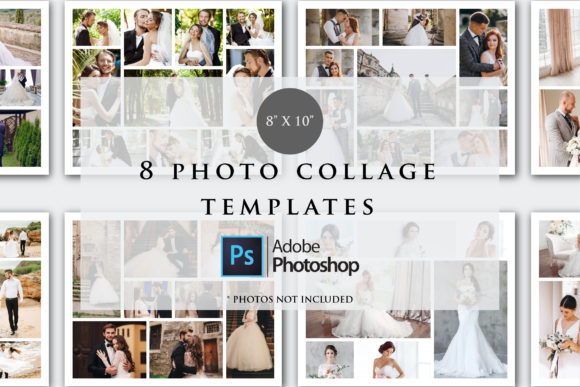
Mastering Visual Storytelling with Mood Board Grid Photo Collage Templates
In the world of design, how you arrange your visual elements is just as important as the elements themselves. A scattered collection of images can feel chaotic, while a thoughtfully organized grid tells a cohesive story. This is where Mood Board Grid Photo Collage Templates become an indispensable asset. They provide the structural framework you need to transform a random assortment of photos, textures, and typography into a compelling visual narrative that communicates a specific tone, style, or concept with clarity and impact.
These templates are more than just simple photo frames. They are sophisticated design assets crafted for professionals who value both efficiency and aesthetic precision. The grid-based layout offers a clean, modern foundation that brings order to creativity. By constraining your imagery within defined columns and rows, you create a sense of harmony and intentionality. This structured approach is particularly powerful for brand identity projects, where consistency is key. Whether you're defining a color palette for a new startup or presenting a seasonal collection for a fashion label, the grid ensures every element has a purposeful place, resulting in a polished and professional presentation.
Practical Applications for Every Creative Professional
The true value of a moodboard grid photo collage lies in its versatility. For graphic designers and brand strategists, it's the perfect tool for client presentations. Instead of explaining a brand's direction with separate documents, you can present a single, impactful visual that encapsulates the entire concept—from typography choices and color swatches to inspirational imagery and logo sketches. This unified view helps clients grasp the vision quickly and provides a solid reference point throughout the design process.
Beyond branding, these templates excel in editorial design and publishing. Magazine editors and bloggers can use them to plan photo spreads, curate content for a feature article, or create visually engaging Pinterest pins. The grid format naturally guides the viewer's eye, making it ideal for storytelling. Imagine laying out the key visuals for a travel feature or a recipe collection; the collage format allows you to showcase multiple angles and details in a single, digestible view. For social media graphics, where capturing attention in a scroll-heavy environment is crucial, a well-designed collage stands out. It communicates more information than a single image and can be used to announce a new product launch, highlight customer testimonials, or share behind-the-scenes glimpses of your work.
Unpacking the Customizable File Package
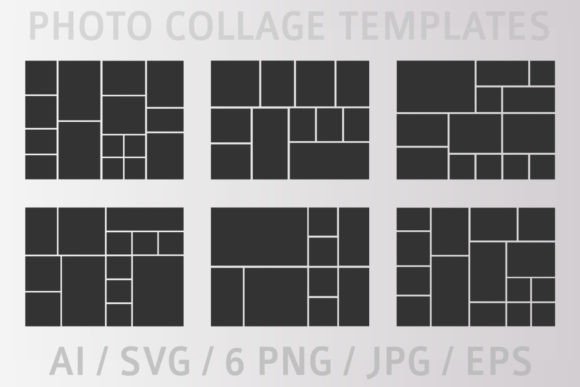
When you acquire a professional set of Mood Board Grid Photo Collage Templates, you're not just getting a static image. You receive a comprehensive toolkit designed for seamless integration into your workflow. The provided ZIP folder typically includes multiple file formats to ensure compatibility with a wide range of software and projects.
Understanding these formats is key to using the templates effectively:
- AI (Adobe Illustrator) vector file: This is the master file. Being vector-based, it's infinitely scalable without losing quality. It's perfect for making detailed customizations, changing colors, adjusting grid lines, or modifying shapes to fit a specific project's needs.
- SVG (Scalable Vector Graphics) file: Another vector format, SVG is particularly valuable for web-based projects. It's lightweight and can be easily edited with code or in web design tools, making it ideal for digital presentations or interactive mood boards.
- EPS file (vector): A widely compatible vector format that works with many design programs beyond Adobe's suite, offering flexibility if you use software like CorelDRAW or Affinity Designer.
- PNG Files (High Resolution): These are ready-to-use raster images with transparent backgrounds. They are incredibly convenient for quick mockups in software like Canva, Photoshop, or even PowerPoint. Simply drag and drop your images into the provided frames.
- JPG file: A standard raster image format, useful for quick previews or for use in contexts where file size is a concern and transparency isn't needed.
This multi-format approach empowers you. You can start with a high-res PNG for a fast mockup in a presentation, then switch to the AI file for final, customized production files. The ability to customize the files and change the colors as you like means the templates can be adapted to match any brand's specific color scheme, ensuring your mood board feels uniquely yours rather than generic.
Integrating Templates into Your Workflow
Getting the most out of these resources involves a bit of strategic thinking. Start by defining the purpose of your mood board. Is it for internal team alignment, a client pitch, or public-facing content on a blog? The context will dictate how much detail and customization you need. For a quick internal brainstorm, a simple PNG collage might suffice. For a formal client deliverable, investing time to edit the vector file in Illustrator to incorporate brand fonts and exact Pantone colors will elevate the professionalism of your presentation.
Consider the visual hierarchy within the grid. Not all sections need to be the same size. Use larger frames for your hero images—the key visuals that define the mood—and smaller frames for supporting details like texture close-ups, color chips, or snippets of typography. This variation creates a dynamic rhythm and guides the viewer's focus. When preparing your collage, gather all your visual assets beforehand: photographs, illustrations, color palettes, type samples, and any textual notes. Having everything ready streamlines the assembly process within the template.
Finally, remember that a mood board is a communication tool. Its ultimate goal is to convey a feeling or a direction clearly. The structured grid of these Mood Board Grid Photo Collage Templates removes the guesswork from layout, allowing you to focus on curating content that resonates. By leveraging these versatile design assets, you save valuable time, present your ideas with greater clarity, and produce professional-grade visual communications that strengthen your brand identity and engage your audience effectively.